


Your PM Kisan installment hasn’t arrived. The beneficiary status page says “Inactive.” Or you’ve completed registration but the payment is stuck because e-KYC is still pending. These are the exact problems that bring most farmers to the pm kisan portal—not curiosity about what the scheme is, but the urgent need to fix something before the next installment cycle closes. This guide covers registration, the login process (for both farmers and officials), mandatory e-KYC, status checks, and the specific errors that block payments.
What the PM Kisan Portal Actually Does
The portal at pmkisan.gov.in manages the Pradhan Mantri Kisan Samman Nidhi scheme, which transfers ₹6,000 per year in three installments of ₹2,000 directly into Aadhaar-seeded bank accounts through Direct Benefit Transfer (DBT). The money moves from the central government to your bank account without a middleman—but only if three things line up: your Aadhaar is linked to your bank account, your e-KYC is complete, and your land records are verified.
The portal handles four jobs: new farmer registration, beneficiary status checks, mandatory e-KYC, and grievance redressal for payment failures, land record mismatches, and name discrepancies.
Discover More About:👇
FRUITS Portal Login Guide (Karnataka): How to Check Status, FID, and PM Kisan Details
Ekikrit Portal – Kisan Registration Guide
How to Register as a New Farmer
Registration is open to both rural and urban landholding farmers. You can self-register online or visit a Common Service Centre (CSC) if you’d rather have someone walk you through it.
Step-by-Step Self-Registration
- Open pmkisan.gov.in and go to Farmers Corner in the top menu.
- Click New Farmer Registration.
- Choose your farmer type—Rural or Urban.
- Enter your Aadhaar number and the captcha. The system checks whether your Aadhaar is already registered. If it isn’t, you’ll be allowed to proceed.
- Fill in your name, date of birth, mobile number, and address exactly as they appear on your Aadhaar. A mismatch here is one of the most common reasons registrations get rejected later.
- Enter your land details—survey number, area, and ownership information as per your state’s land records.
- Add your bank account number and IFSC code. This account must be Aadhaar-seeded, or the DBT transfer will fail.
- Review everything, submit, and save the reference number the portal generates. You’ll need it to track your application.
A pitfall worth knowing: the portal times out if you leave a page idle for too long. Keep your Aadhaar, land papers, and bank passbook next to you before you start, so you’re not hunting for details mid-form.
If connectivity is a problem, a CSC centre or your local agriculture office can complete the same registration in person.
PM Kisan Login: Who Actually Needs It
Here’s where most guides get confusing. The pm kisan gov in login with a User ID and password is not for farmers—it’s for government officials, state nodal officers, and district administrators who manage the scheme.
For Officials
- Go to the portal and click Login in the top navigation.
- Enter the User ID and password issued by your department.
- Select the Activity Type from the dropdown (options include Social Audit-Kisan Bhagidari or Normal).
- Click Login to reach the administrative dashboard.
Forgot your password? The login page has a recovery link.
For Farmers
You don’t need a username or password. Everything you need—beneficiary status, e-KYC, beneficiary list—sits under Farmers Corner and is accessible with just your Aadhaar number, mobile number, or registration number.
Completing Mandatory e-KYC
e-KYC (electronic Know Your Customer) is a digital identity verification step, and it is now mandatory for every PM Kisan beneficiary. Skip it, and your name gets removed from the active beneficiary list—payments stop until it’s done.
e-KYC via OTP
- Go to pmkisan.gov.in and click e-KYC on the homepage.
- Enter your Aadhaar number.
- An OTP is sent to the mobile number linked with your Aadhaar.
- Enter the OTP to finish verification.
The most common failure point: if your mobile number isn’t linked to Aadhaar, the OTP never arrives. You’ll need to update your mobile number at an Aadhaar enrolment centre first—this can’t be fixed on the PM Kisan portal itself.
If OTP e-KYC Doesn’t Work
Visit a CSC centre for biometric verification. Some states also support face authentication through the PM Kisan mobile app, though availability varies by state.
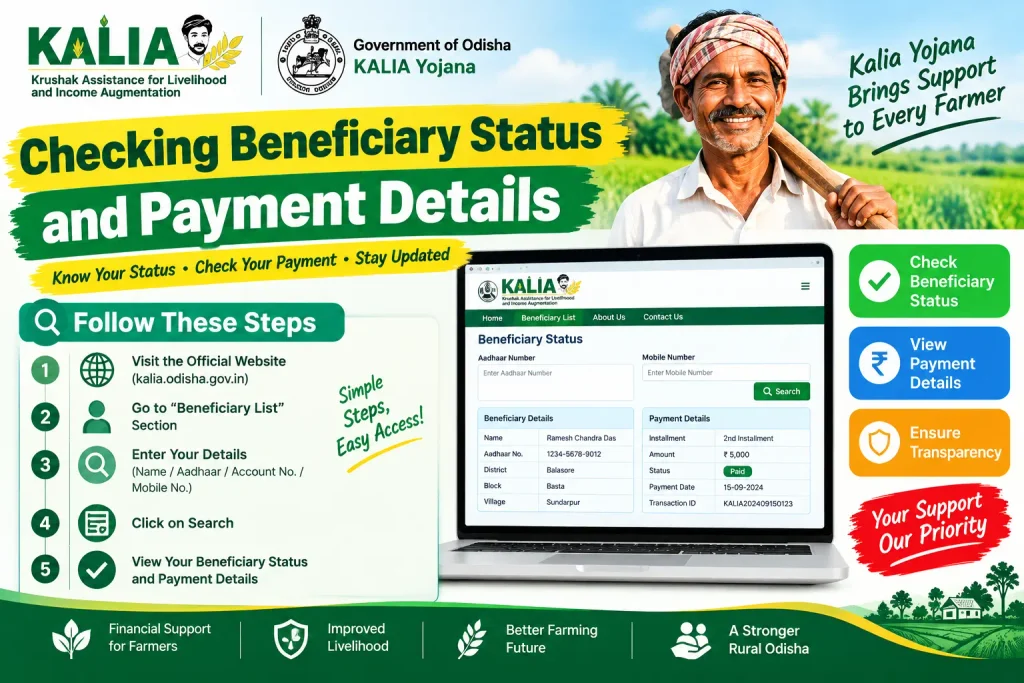
Checking Beneficiary Status and Payment Details
Check your status before assuming a payment is late—often the portal shows exactly what’s blocking it.
- Go to pmkisan.gov.in.
- Under Farmers Corner, click Beneficiary Status.
- Enter your Aadhaar number, mobile number, or registration number.
- Click Get Data.
The result shows whether your registration is Active or Inactive, your last installment date and amount, your e-KYC status, and your land-seeding status. You can also check the public beneficiary list by selecting your state, district, sub-district, and village to confirm your name appears among approved farmers.
Discover More About:👇
CKYC Login – Step by Step Guide
Documents to Keep Ready
Before you start registration or e-KYC, gather:
- Aadhaar card — mandatory for identity and DBT
- Land ownership documents — proof of cultivable land in your name
- Bank passbook — account number and IFSC code
- Mobile number linked to Aadhaar — required for OTPs
- Passport-sized photograph — needed for some registration modes
Common Mistakes That Block Payments
e-KYC left incomplete. This is the single most frequent reason installments stop. Complete it well before the next installment date, not after.
Aadhaar not seeded with your bank account. DBT transfers bounce if the linkage is missing. Confirm it at your bank branch—don’t assume it was done during account opening.
Name mismatches across documents. If your name differs between Aadhaar, bank records, and land papers, the application can be rejected. Fix the discrepancy at the source before reapplying.
Stale or unverified land records. If your land records are pending verification, payments are held. Your local revenue office handles this.
Wrong or inactive bank details. A wrong IFSC code, a closed account, or a dormant account will fail the transfer. Verify your details on the portal and update them if anything has changed.
FAQs
Can I register for PM Kisan without Aadhaar?
No. Aadhaar is mandatory for registration and for receiving DBT payments, and it must be linked to your bank account.
My pm kisan login status shows “Inactive.” What now?
“Inactive” usually points to pending e-KYC, incomplete land verification, or a bank account problem. The status screen typically names the specific reason—work on that first, and e-KYC is the most common culprit.
Do I need to log in to check my status?
No. Use the Beneficiary Status option under Farmers Corner and enter your Aadhaar or mobile number.
Is there a PM Kisan mobile app?
Yes. It lets you check beneficiary status, complete e-KYC through face authentication in supported versions, and access other services.
I completed e-KYC but the installment still hasn’t arrived. What should I do?
Check your beneficiary status. If it says “Payment Success” but the money isn’t in your account, give it a day or two for bank processing. If it says “Failed” or “Pending,” recheck your bank details and land records, or contact the PM Kisan helpline.
Can urban farmers register?
Yes. Select “Urban” as your farmer type during registration.
One Last Thing
If your installment still hasn’t landed a week after your status shows “Payment Success,” don’t re-register—that creates a duplicate record and complicates things further. Instead, take your reference number and bank passbook to your bank branch and ask them to check the DBT credit against your Aadhaar number. Nine times out of ten, the block is at the bank’s end, not the portal’s. For anything else—fees, timelines, or state-specific rules—verify directly on pmkisan.gov.in or through the PM Kisan helpline, since procedures change between installment cycles.

3 Comments
Pingback: FRUITS Bank Login Karnataka: Login Guide & Status Check
Pingback: Ekikrit Portal – Kisan Registration Guide 2026
Pingback: CKYC Login – Step by Step Guide