


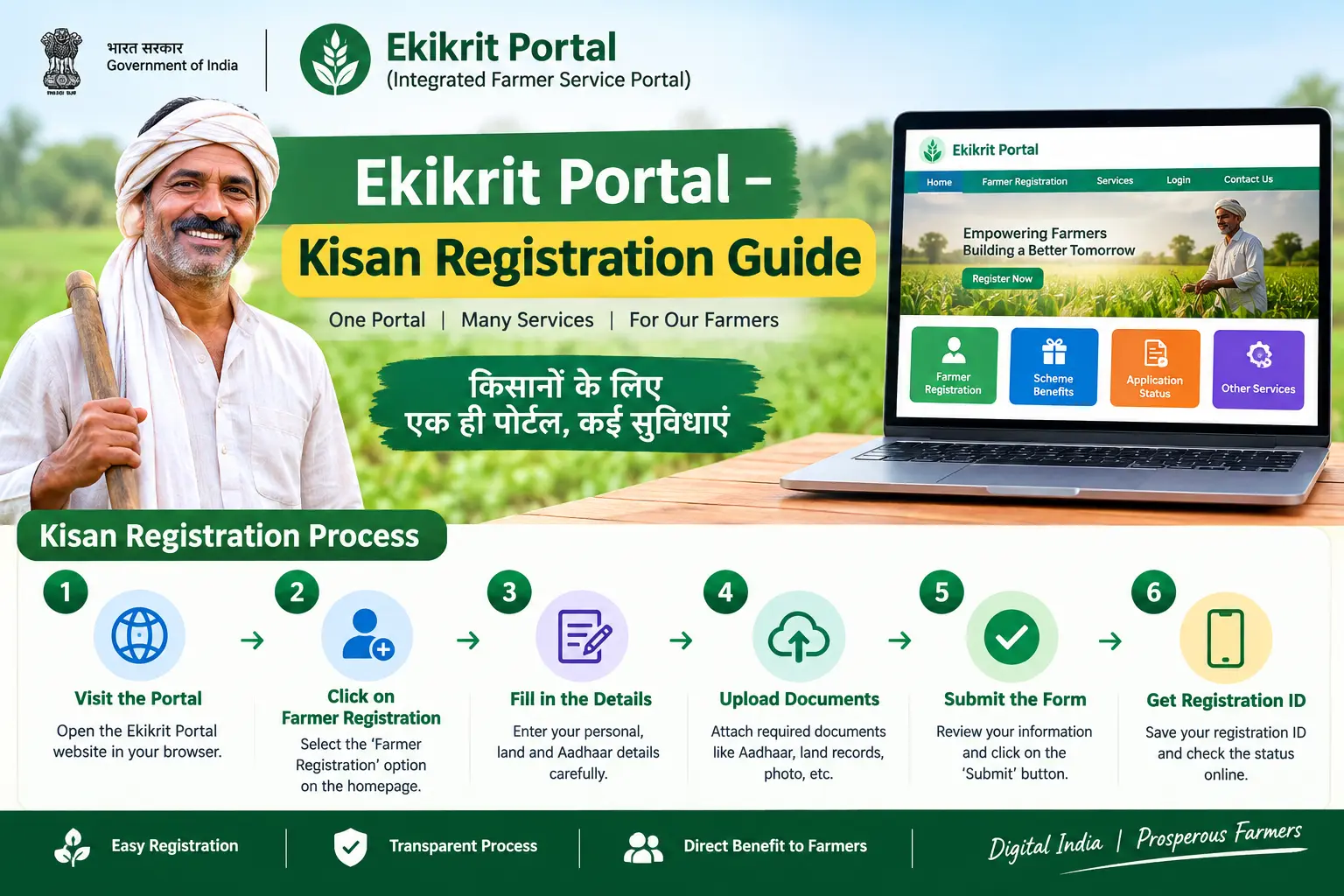
Your subsidy hasn’t arrived. The crop season is already underway, you’ve submitted your details at the cooperative society office, and yet the bank account shows nothing. In most such cases in Chhattisgarh, the problem traces back to one of two things: your registration on the ekikrit portal was never completed properly, or your Aadhaar isn’t seeded to the bank account where the money is supposed to land. This guide walks through how registration actually works on the ekikrit portal, where it usually goes wrong, and what you can do about it.
What the Ekikrit Portal Actually Does
The ekikrit portal is Chhattisgarh’s unified registration system for the Rajiv Gandhi Kisan Nyay Yojana. “Ekikrit” translates roughly to “integrated” — and that’s the point. Instead of running separate records for land ownership, crop details, and beneficiary lists, the portal ties them together so that a single verified entry determines whether a farmer receives input subsidy and how much.
The scheme covers paddy, sugarcane, maize, and soybean cultivators. Paddy growers are entitled to ₹10,000 per acre and sugarcane growers to ₹13,000 per acre, with the scheme reaching roughly 24 lakh farmers across the state each year. Registration normally happens through kisan.cg.nic.in. Farmers who aren’t comfortable with online forms can complete the process at their local cooperative society or the office of the agricultural deputy director — the same registration, just filled in on their behalf.
One thing worth settling early: Aadhaar is effectively mandatory here, because both identity verification and the subsidy transfer run through it. If you don’t have an Aadhaar number yet, enrol first at any Aadhaar Enrolment Centre or Aadhaar Seva Kendra. Appointments can be booked through the UIDAI portal at uidai.gov.in; the mAadhaar app handles some services but not fresh enrolment.
Discover More About:👇
PM Kisan Portal – Login & Registration Guide
FRUITS Portal Login Guide (Karnataka): How to Check Status, FID, and PM Kisan Details
Who Qualifies for Registration
All categories of Chhattisgarh farmers are covered — small, marginal, and large — provided they cultivate a crop listed under the scheme and register within the window the state government announces for that season.
The eligibility rules are simple on paper but unforgiving in practice. You must be growing one of the covered crops during the relevant season. You must register before the deadline closes. And your land records must match your identity documents. That last condition is where most rejections originate, because a khasra or khatauni entry that spells your name differently from your Aadhaar card is enough to stall verification.
Step-by-Step Registration on the Ekikrit Portal
- Open kisan.cg.nic.in and locate the Rajiv Gandhi Kisan Nyay Yojana section. Registration links are usually grouped by scheme, so don’t assume the first form you see is the right one.
- Fill in personal details, Aadhaar number, mobile number, and bank account information. Enter the Aadhaar number carefully — a single wrong digit will fail verification silently rather than showing an obvious error. Keep your mobile handy, since an OTP is typically sent to confirm the entry.
- Add land and crop details. This means survey numbers and the crops actually sown this season. The crop declaration drives your subsidy calculation, so report what is genuinely in the ground, not what you plan to sow later.
- Upload or attach the supporting documents. Scanned copies of your Aadhaar, land records, and bank details are commonly required. Blurred or partially cropped scans are a frequent reason for back-and-forth with field staff.
- Submit and wait for field verification. Agriculture and revenue department staff verify your land ownership and crop claims against official records. This is a manual step, and it can take time depending on your block.
- Confirm your name appears on the beneficiary list. After approval, the subsidy is paid into your registered bank account through DBT (Direct Benefit Transfer — the system that sends government payments straight to a bank account rather than through intermediaries), typically in four instalments across the year.
Pitfalls worth knowing about: If the OTP never arrives, check whether your mobile number is correctly linked in Aadhaar — an unlinked number is one of the most common blockers. If the portal times out mid-form, your entered data is often lost; keep your land record details written down before you start so you can re-enter them quickly. And if you mistype your Aadhaar number, the form may submit successfully while verification fails later, leaving you confused about why nothing moved.
Documents to Keep Ready
- Aadhaar card — used for identity verification and to route the subsidy payment.
- Land records — khasra or khatauni showing your ownership or cultivation rights.
- Bank account number and IFSC code — with Aadhaar seeding completed at the branch.
- Registered mobile number — for OTPs and status SMS.
- Crop details — the crops sown and the area under each.
Common Mistakes That Delay Payment
Name mismatches between Aadhaar and land records. Spelling variations, dropped surnames, or initials instead of full names will hold up verification. Fix the discrepancy at the source before registering.
Aadhaar not seeded to the bank account. DBT cannot credit an account that isn’t Aadhaar-linked. This is a branch-level task, not something the portal can fix.
Wrong crop declaration. Overstating or misreporting cultivated area can trigger rejection or recalculate your subsidy downward.
Bank details entered incorrectly. One wrong digit in the account number or IFSC code produces a failed credit that can take weeks to trace.
Registering after the deadline. The window is fixed each season. Late entries generally don’t carry forward.
Where Kisan Sathi and CM Kisan Portals Fit In
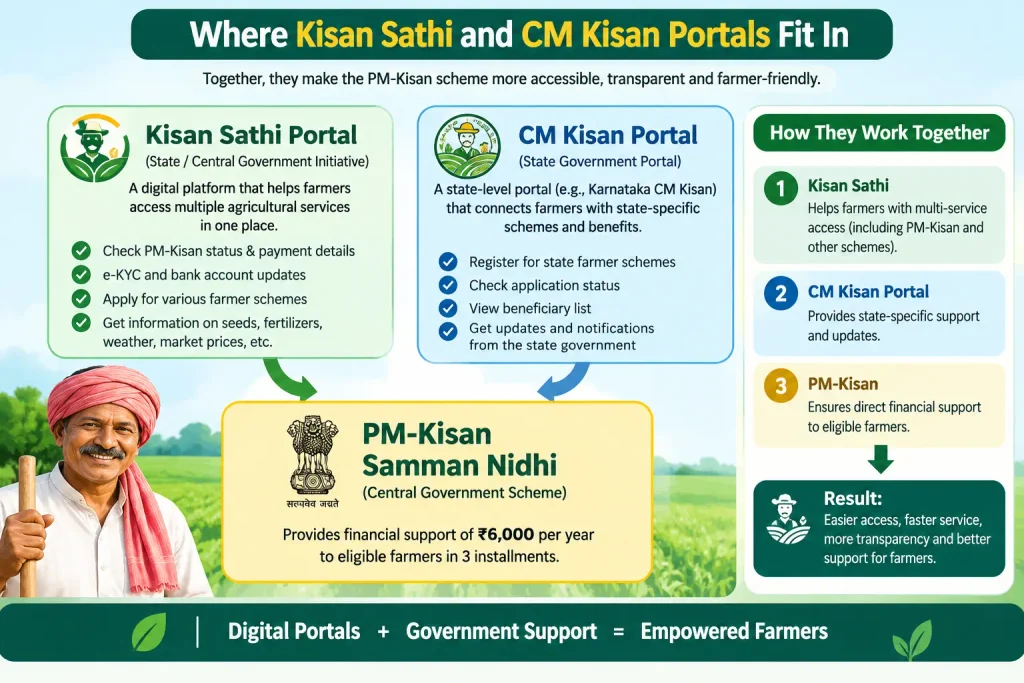
The kisan sathi portal is a national advisory platform run jointly by the Ministry of Electronics & Information Technology and the Ministry of Agriculture and Farmers Welfare. Launched in July 2021, it delivers crop advisories, weather updates, mandi prices, and scheme information, and connects farmers to Krishi Vigyan Kendras, ICAR institutes, and agricultural universities. It is not a registration portal for the Chhattisgarh scheme — but it is a useful place to understand what schemes exist and what they offer. Access works through a web portal, mobile app, WhatsApp, and Kisan Call Centres.
A cm kisan portal, by contrast, usually refers to a state-specific welfare portal — Odisha’s CM Kisan Yojana portal, for instance, which supports small, marginal, and landless agricultural households. Chhattisgarh’s equivalent for this scheme is the ekikrit portal. If you farm in another state, check your own agriculture department’s site rather than assuming the Chhattisgarh process applies.
Discover More About:👇
CKYC Login – Step by Step Guide
FAQs
What is the ekikrit portal used for?
It is Chhattisgarh’s registration platform for the Rajiv Gandhi Kisan Nyay Yojana, where farmers submit Aadhaar details, land records, and crop information to receive input subsidies via direct benefit transfer.
Can I register without an Aadhaar card?
Generally no. Aadhaar is required for both verification and payment routing. If you don’t have one, complete enrolment first at an Aadhaar Enrolment Centre or Aadhaar Seva Kendra — appointments can be booked through uidai.gov.in.
How do I check my registration status?
Log in to the portal with your credentials and use the status section, if available for your scheme year. SMS updates are typically sent to your registered mobile number as the application moves through verification.
What is the kisan sathi portal?
A national agricultural advisory platform offering crop guidance, weather information, market prices, and scheme details. It is separate from the ekikrit portal but useful for understanding available farmer welfare programmes.
Why hasn’t my subsidy reached my bank account?
The usual causes are incomplete Aadhaar e-KYC, Aadhaar not seeded to the account, or NPCI mapping not enabled for your bank. Visit your branch and ask specifically about Aadhaar seeding and DBT activation.
Can someone else register on my behalf?
Yes — local cooperative societies and the office of the agricultural deputy director routinely assist farmers with form submission and document verification.
If your registration is stuck or your payment hasn’t arrived, start with the bank rather than the portal. Aadhaar seeding and NPCI mapping failures account for a large share of missing subsidies, and they can be checked and fixed at the branch in a single visit. Once that’s confirmed, re-check your registration status on the portal — and if the problem persists past the verification stage, the agricultural deputy director’s office can trace where in the workflow your application stalled, which the online status screen often won’t show.

1 Comment
Pingback: PM Kisan Portal – Login & Registration Guide