

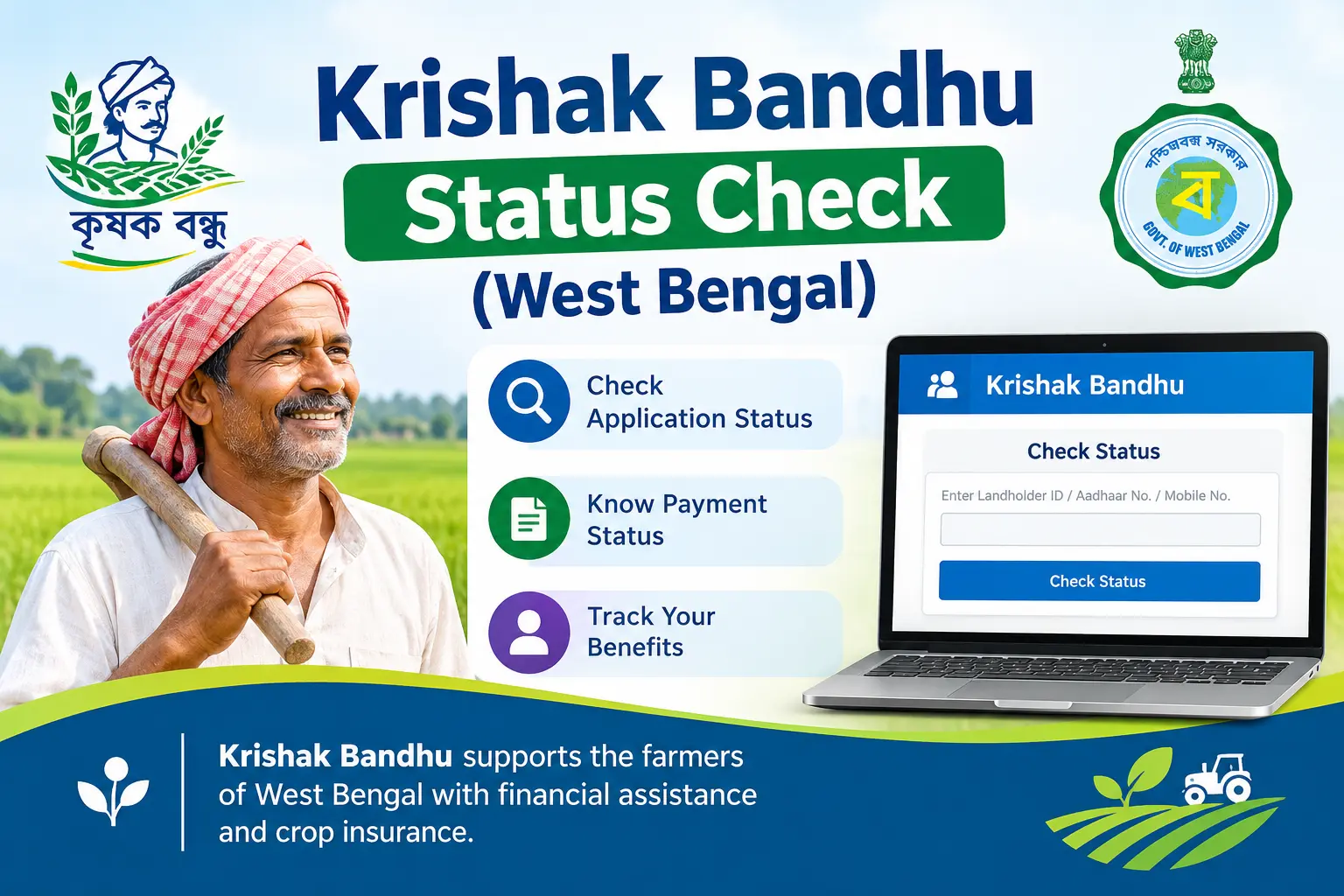
Your Kharif instalment should have arrived by now, but your bank passbook shows nothing. Or you applied at a local camp months ago and have no idea whether your name ever made it into the system. For farmers in West Bengal, that uncertainty is the real problem — not a lack of information about the Krishak Bandhu scheme itself, but not knowing where a single application or payment actually stands. This guide shows you how to check your krishak bandhu status on the official portal, what each result actually means, and what to do when the status looks wrong. It covers land-owning farmers and registered sharecroppers (bargadars) alike.
What the Krishak Bandhu Scheme Provides
Krishak Bandhu (“Friend of Farmers”) is a West Bengal state welfare scheme launched in 2019. It has two parts: seasonal income support for cultivation costs, and a one-time benefit for the family of a deceased or permanently disabled registered farmer.
Under the income support component, farmers with one acre or more of cultivable land typically receive ₹10,000 per year, split into two instalments of ₹5,000 — one before Kharif and one before Rabi. Those with less than one acre generally receive pro-rata assistance, with a minimum of ₹4,000 per year, also paid in two instalments.
The death benefit is ₹2,00,000 for the family of a registered farmer who dies between the ages of 18 and 60. A similar one-time grant applies for permanent disability caused by accident.
Who Qualifies
For income support, you must be a West Bengal resident with cultivable land, generally up to 2 acres. Registered sharecroppers (bargadars) qualify too, as do farmers holding Record of Rights (RoR), Patta, or Forest Patta.
For the death benefit, the deceased farmer must have been enrolled in the scheme and aged between 18 and 60 at the time of death, and the claimant must be the legal heir.
Government employees, income tax payers, and non-residents are generally excluded from income support.
Discover More About:👇
CM Kisan Beneficiary List & Status (MP)
Kalia Yojana Status & New List (Odisha)
Checking Your Status on the Official Portal
The Krishak Bandhu portal (krishakbandhu.wb.gov.in) is the fastest way to check where things stand. Keep one of these ready: your Voter ID (EPIC) number, Aadhaar number, Application ID, or the mobile number linked to your application.
Step-by-Step Process
- Open the portal. Go to krishakbandhu.wb.gov.in on your phone or computer. Use a stable connection — the site can time out on weak mobile data, especially during peak payment weeks.
- Find the status check section. Look for a link labelled “Status Check,” “Beneficiary Status,” or “Check Your Status” on the homepage or in the main menu.
- Pick your search method. The portal generally lets you search by Voter ID, Aadhaar, Application ID, or registered mobile number. Choose whichever you have at hand.
- Enter the identifier carefully. For Voter ID, type the EPIC number exactly as printed, without spaces or dashes. For Aadhaar, enter all 12 digits. A single transposed digit is the most common reason people see “Not Found” and assume the worst.
- Complete the captcha and submit. Tick the security checkbox or enter the captcha code, then submit. If the page hangs or refreshes without a result, wait a minute and try again rather than hitting submit repeatedly.
- Read the result. The screen should show your name, Krishak Bandhu ID, land details, and payment history. Note down the Krishak Bandhu ID if you don’t already have it — you’ll need it for any follow-up.
If you use a shared mobile number or a number that isn’t the one registered with the scheme, the mobile-based search will fail even when your application is active. In that case, switch to Voter ID or Aadhaar.
What Each Status Result Means
Results generally fall into a few categories:
“Under Process” or “Pending” — your application or payment is still being reviewed. Document verification happens at the block level, so timelines vary by office and workload.
“Verified” or “Approved” — your details have cleared verification and the file has moved to the payment stage.
“Bank Validated” — your bank account has been confirmed for Direct Benefit Transfer (DBT). This doesn’t mean money has been sent yet, only that the account is ready to receive it.
“Payment Released” or “Payment Done” — the instalment has been sent to your registered account. Confirm it in your passbook or account statement, since bank credits can take a little time to reflect.
“Not Found” or “No Record Found” — either your application hasn’t been uploaded to the portal yet, or the identifier you entered doesn’t match the records. Try a different identifier before assuming something is wrong.
Krishak Bandhu ID and Beneficiary List
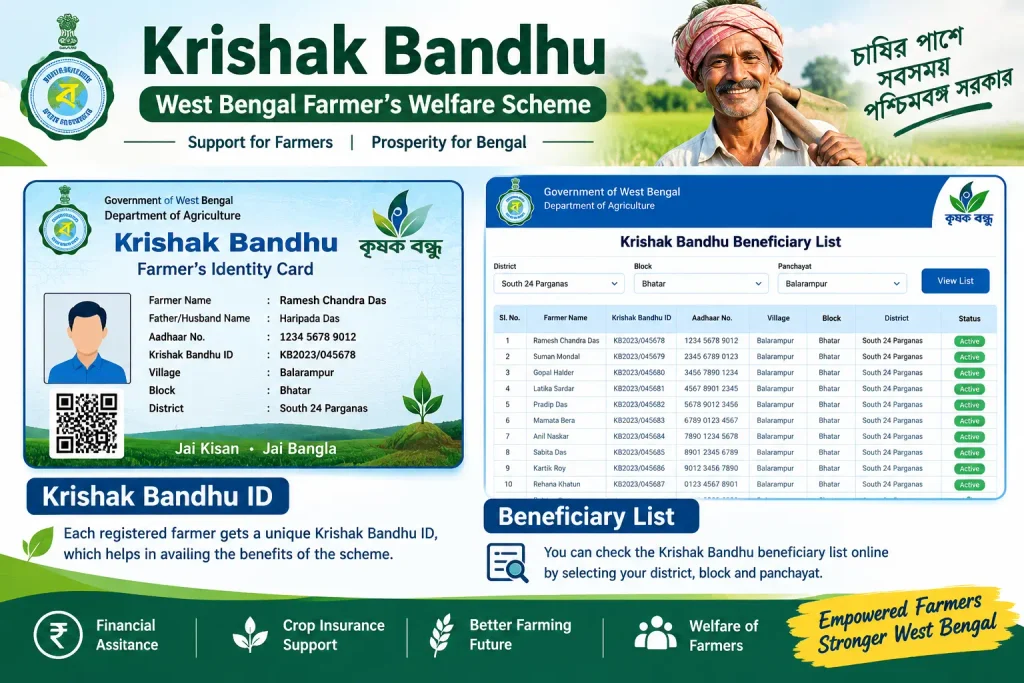
Your Krishak Bandhu ID is the unique number assigned when you register. It’s what you’ll quote for instalment tracking, death benefit claims, and any correspondence with the agriculture office.
If you don’t know your ID, the portal has a “Know Your ID” feature — enter your Voter ID or Aadhaar number and it will retrieve the ID if your record exists.
The portal also publishes beneficiary lists by district, block, and gram panchayat. If your status check keeps failing, searching the list for your area is a useful cross-check: it confirms whether your name made it into official records at all.
Documents to Keep Ready
For applications, re-verification, or benefit claims, you will typically need:
- Record of Rights (RoR) for your cultivable land, or RoR with Barga, Patta Record, or Forest Patta (latest version)
- Voter Identity Card — generally mandatory
- Aadhaar Card — listed as optional in some official document lists, but practically useful for DBT linkage
- Bank passbook (first and last page) or a cancelled cheque
- Recent passport-size photograph
- Mobile number linked to both Aadhaar and your bank account
Death benefit claims additionally require the death certificate, a legal heir certificate, and the deceased farmer’s identification and land records. Disability claims require a valid disability certificate.
Common Mistakes That Delay Payment
Name mismatches. If your name on the land record differs from your Aadhaar or bank account — a spelling variant, an added middle name — verification can stall. Fix the discrepancy at the source before reapplying.
Inactive or unlinked bank account. Payments go through DBT, so your account must be active and Aadhaar-linked. A dormant account will reject the credit silently.
Typos in the identifier. EPIC and Aadhaar numbers are unforgiving. Copy from the physical card rather than typing from memory.
Not checking after the seasonal window. If both the Kharif and Rabi payment windows have passed without a credit, check your status online first, then follow up at your Block Agriculture Office with your acknowledgment receipt and Krishak Bandhu ID.
Frequently Asked Questions
Can I check my Krishak Bandhu status with my mobile number?
Yes — the portal generally supports mobile number search, alongside Voter ID, Aadhaar, and Application ID. The number must be the one registered with your application.
What if my status shows “Not Found”?
It usually means your data hasn’t been uploaded yet, which is common for recent camp or offline applications. Wait a few days and retry with a different identifier. If it still fails, visit your Block Agriculture Office with your acknowledgment receipt.
How do I confirm my payment has actually arrived?
Your status result typically includes a payment history showing which instalments have been released. Cross-check with your bank passbook for a credit entry under the scheme.
Is Aadhaar mandatory for Krishak Bandhu?
Available official document lists show Aadhaar as optional and Voter ID as generally mandatory. In practice, though, an Aadhaar-linked bank account matters for smooth DBT credits.
What is the Krishak Bandhu helpline number?
Helpline numbers change periodically. Check the official Krishak Bandhu portal for current contact details, or visit your local Block Agriculture Office.
Can I receive both Krishak Bandhu and PM-KISAN?
Krishak Bandhu is a state scheme and PM-KISAN is central. Eligible farmers have historically received both, though periodic verification drives can affect this. Check the portal for the latest position.
Before You Close This Page
If your status shows “Payment Released” but nothing has hit your account, give it a few working days before panicking — bank processing isn’t instant. If it still hasn’t arrived, or your status has sat at “Under Process” through an entire payment window, that’s your signal to visit the Block Agriculture Office in person with your Krishak Bandhu ID and bank details. Online checks tell you where you stand; only the block office can move a stuck file forward.

2 Comments
Pingback: CM Kisan Beneficiary List & Status (MP) 2026
Pingback: Kalia Yojana Status & New List 2026 – Check Online